How to Sit Properly at a Desk All Day: Lumbar Support Explained
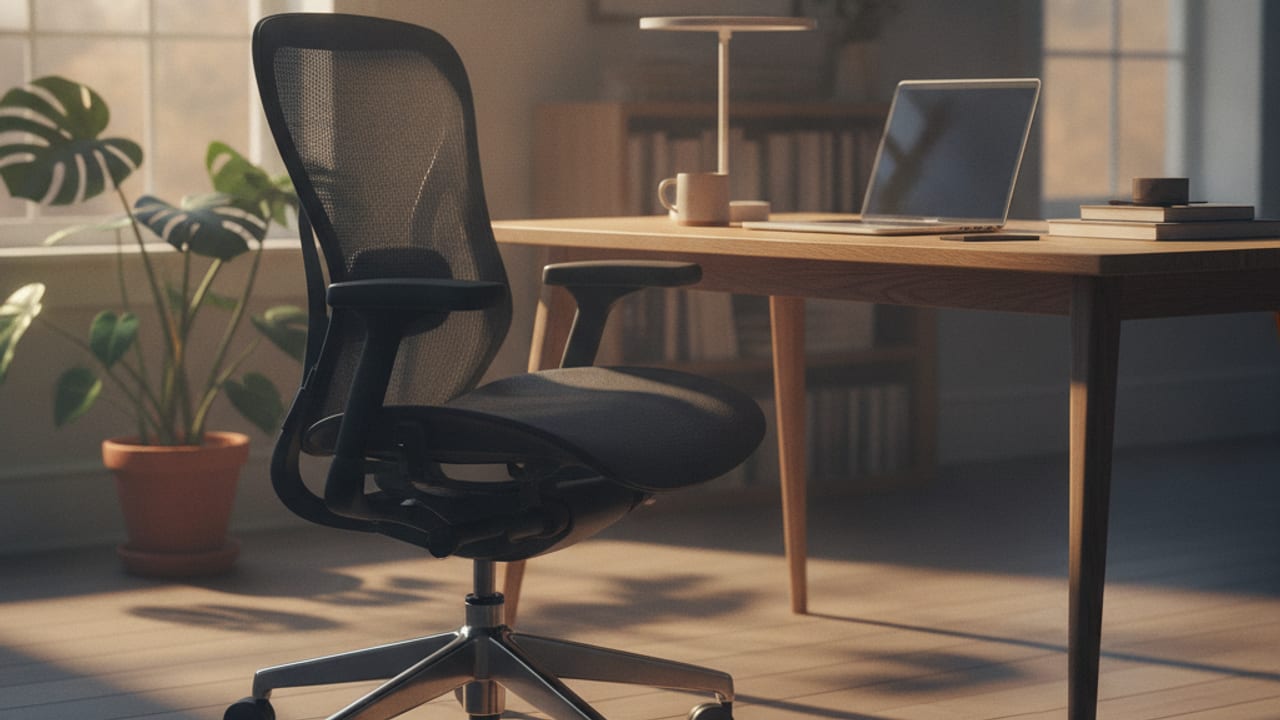
Sitting properly comes down to four things: feet flat on the floor with knees at about 90 degrees, hips pushed to the back of the seat, lumbar support filling the inward curve of your lower back, and your screen high enough that your head stays balanced over your shoulders. Then, crucially, move often.
Notice what is not on that list: willpower. Nobody holds a posture by concentration for eight hours, and the people who sit comfortably all day are not trying harder than you, their equipment is set up so that the comfortable position and the correct position are the same one. This article explains what lumbar support actually does, how to set up any half decent chair in five steps, and the mistakes that quietly cause most desk related back ache.
What lumbar support actually does
Stand sideways to a mirror and you will see your lower back curves gently inward, a shape called the lumbar lordosis. That curve is your spine's natural, strong position, with the vertebrae and discs stacked the way they are designed to load.
The problem with sitting is that it undoes the curve. As you sit, your pelvis tends to roll backwards, and the lumbar curve flattens or even reverses into a slump. Your discs and ligaments take load in a shape they tolerate poorly for long periods, and the muscles along your spine work overtime trying to hold things together. That is the deep ache that arrives mid afternoon.
Lumbar support is simply a firm, gently curved surface that fills the gap between the chair backrest and the small of your back, so the curve is held for you. With the gap filled, you can lean back into the chair, let the backrest carry a share of your upper body weight, and keep the lordosis without a single muscle doing deliberate work. That is the whole trick, and it is why a chair with decent, correctly positioned lumbar support transforms long days in a way no posture advice can.
Position matters as much as presence. The support should press into the inward curve, roughly at belt height, not into your mid back and not into your pelvis. Height adjustable lumbar support exists because people's proportions differ; a fixed bulge in the right place for one person lands wrongly for another, which is why we pay close attention to it when comparing chairs.
Setting up your chair in five steps
Do these in order, they build on each other. It takes ten minutes and most people only ever do it once.
- Seat height. Adjust so your feet rest flat on the floor and your knees bend at roughly 90 degrees, with your thighs about level or sloping very slightly down. If getting your elbows level with the desk forces your feet off the floor, keep the chair high and add a footrest; dangling feet load the back of your thighs and encourage perching.
- Seat depth. Sit right back so your hips meet the backrest, then check the gap behind your knees: you want two or three fingers of space between the seat edge and your calves. If the seat is too deep you will slide forward off the lumbar support to unload your knees, defeating the whole setup. Many chairs have a seat slide for exactly this.
- Lumbar support. Set the height so the support fills the curve of your lower back at about belt level. It should feel like a firm, pleasant pressure you can relax into, not a prod. No adjustable support on your chair? A small cushion or a rolled towel in the same spot does the job of a much more expensive mechanism.
- Backrest angle. Slightly reclined beats bolt upright. A backrest set around 100 to 110 degrees lets the chair carry a share of your torso weight and takes load off the lumbar discs, which is what the research on seated posture has pointed to for decades. If your chair has a tilt or synchro mechanism, leave it unlocked with moderate tension so the chair moves with you.
- Armrests. Height so your shoulders hang relaxed with forearms lightly supported, level with the desk surface. Armrests too high shrug your shoulders all day; too low and you either lean onto one side or your shoulders carry the weight of your arms unsupported. If they stop you getting close to the desk, lower them or splay them out of the way.
If your current chair has no lumbar adjustment, no seat slide and fixed arms, the setup above can only go so far.
See our best office chairs UK guideThe rest of the chain: desk, screen, keyboard
A perfectly adjusted chair is undone by a screen that pulls your head forward. Your head weighs around 5kg, and it only balances cheaply on top of your spine when it sits over your shoulders; every centimetre it drifts towards a low screen turns neck and shoulder muscles into rigging.
- Screen: top edge at or slightly below eye level, roughly an arm's length away. Laptops need a stand plus separate keyboard, or an external monitor, to make this possible at all.
- Keyboard and mouse: close enough that your elbows stay by your sides at about 90 degrees, wrists straight. Reaching forward to type drags your shoulders and upper back with it.
- Desk height: most fixed desks are 72 to 75cm, which is a little tall for much of the population. If your elbows sit below the desk with your feet flat, raise the chair and add a footrest.
Movement beats any single posture
Here is the part that decades of ergonomics research keeps arriving at: there is no posture, however textbook, that is comfortable for eight unbroken hours. Even a perfect setup loads the same tissues in the same way continuously, and tissues object to that. The phrase practitioners use is that the best posture is the next posture.
Practical version: lean back when reading, come upright when typing, shift in the seat without guilt, and stand up briefly at least once an hour, the kettle counts. If you have a sit stand desk, alternating positions across the day is the easiest way to build variety in. The chair setup above is not a statue pose to hold; it is the well fitted default your body returns to between movements.
Common mistakes that cause desk back ache
- Perching on the front edge of the seat, with the backrest doing nothing. Usually a sign the seat is too deep or the desk setup pulls you forward; fix those and sitting back becomes natural.
- Lumbar support in the wrong place. A support jammed against your mid back tips you forward; one under your pelvis rolls it backwards. Belt height, in the curve.
- Sitting bolt upright out of virtue. Rigid 90 degree sitting loads the discs more than a relaxed slight recline and tires you into slumping by noon. Lean back a little and let the chair work.
- Crossing legs or sitting on one foot for long stretches, which tilts the pelvis and puts the spine in a slow twist. Fine for minutes, costly for hours.
- Blaming the body, not the kit. If you constantly fidget forward, something in the setup is pushing you there: seat depth, desk height, screen distance or text size. Chase the cause, not the symptom.
A chair with proper adjustment is the foundation everything above sits on. We compared what is genuinely worth buying in the UK at every budget.
Read the best office chairs UK guideFrequently asked questions
Where exactly should lumbar support sit?
In the inward curve of your lower back, roughly at belt height, filling the gap between your back and the chair. You should feel firm, even pressure you can relax into when you sit fully back. If it pushes on your mid back or your pelvis instead, adjust it, or if the chair's support is fixed in the wrong place for your proportions, a small cushion positioned correctly beats a built in bulge positioned wrongly.
Is sitting up perfectly straight good for you?
Not for long stretches. A rigid upright posture loads the lumbar discs and back muscles more than a slight recline of around 100 to 110 degrees with good lumbar support, and it is tiring enough that most people collapse into a slump within the hour. Sit back, let the backrest take some weight, and change position often.
My feet do not reach the floor when my elbows are at desk height. What do I do?
Keep the chair at the height your desk demands and put a footrest under your feet, a sturdy box works while you decide if you need a proper one. The alternative, lowering the chair so your feet reach, puts your elbows below the desk and your wrists into a bend all day. The desk being too tall is the real fault, and the footrest is the standard correction.
Will a better chair fix my back pain?
It removes a common aggravating factor; it is not a medical treatment. A chair with proper lumbar support, seat depth adjustment and a good recline, set up correctly and combined with regular movement, resolves a lot of ordinary desk related ache. But pain that is severe, persistent, or comes with other symptoms such as numbness or tingling in the legs deserves a GP or physiotherapist, not a shopping trip.