Best E-ink Tablets UK 2026: Six Paper Tablets for Notes and Reading
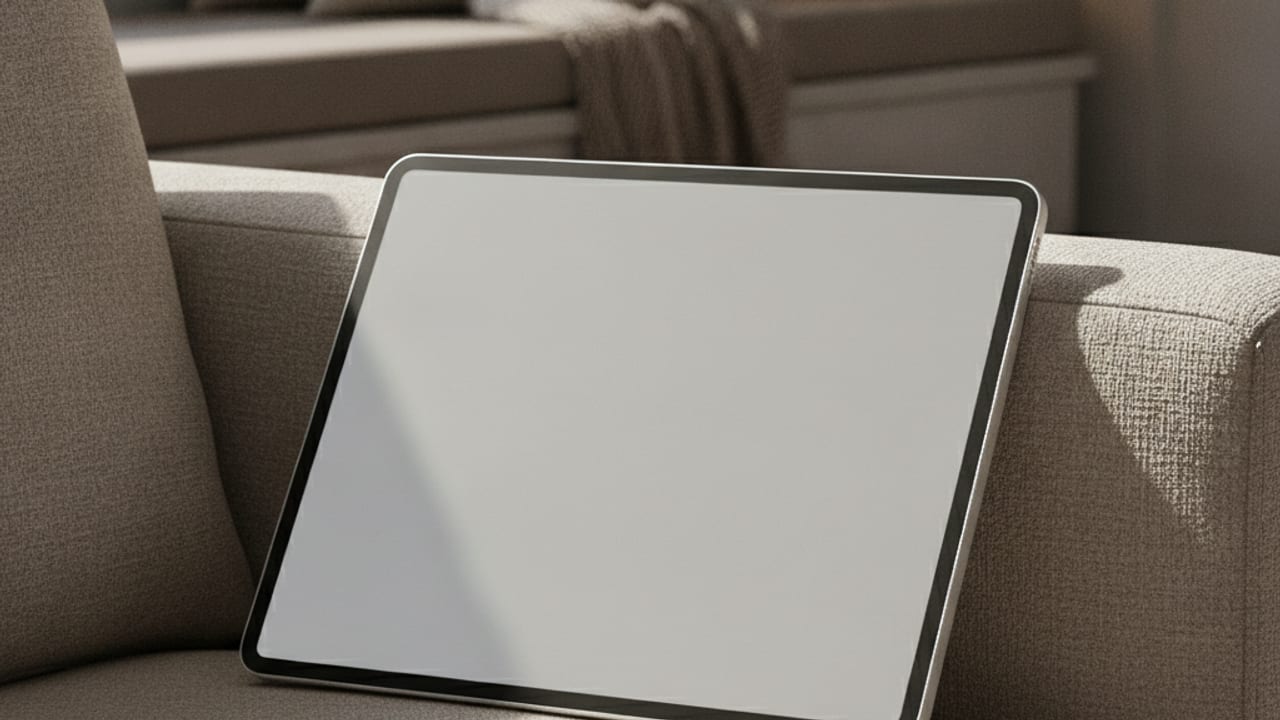
Somewhere between the notebook that never syncs and the iPad that never stops pinging sits the e-ink tablet: a device that displays like paper, writes like paper, runs for weeks on a charge, and cannot show you a single notification while you are trying to think. What began as a niche for the reMarkable faithful has grown into a proper product category in the UK, taken seriously by lawyers marking up contracts, students replacing ring binders, and anyone whose meeting notes currently live across four abandoned notebooks and a phone camera roll.
The category now spans three quite different philosophies, from deliberately minimal writing machines to full Android tablets that happen to have paper like screens, and choosing between them matters more than choosing between brands. This guide compares six devices genuinely available on Amazon UK in 2026 and is candid about the compromises, including subscriptions, closed ecosystems, and why the cheap reusable notebook alternatives did not make the cut.
How to Choose: The Decisions That Matter
Screen size gets the attention, but four other decisions shape whether an e-ink tablet becomes a daily tool or an expensive drawer ornament.
- Focused device or full Android? This is the fundamental split. reMarkable and Supernote style devices do notes, documents and little else, which is precisely their appeal: nothing to fiddle with, nothing to distract. Boox devices run full Android with the Play Store, so one device can carry your Kindle library, Onenote, Obsidian and email, at the cost of complexity and the return of temptation. Neither is wrong, but buyers who choose the opposite of their real need are the category's unhappiest owners.
- Writing feel and latency. The best devices combine a textured surface, a low latency pen and properly tuned software so ink appears under the nib with no perceptible lag. reMarkable still sets the benchmark for paper feel; others trade a little texture for other strengths. Also check pen extras: on some devices the stylus is included, on others it is a meaningful added cost.
- Where your notes end up. A tablet full of handwritten pages is only useful if those pages reach the rest of your life. Look at export formats, handwriting to text conversion quality, and sync destinations like Google Drive, Dropbox and Onenote. This is also where subscriptions lurk: some brands hold their best sync and text conversion features behind a monthly plan, which changes the real cost of ownership.
- Reading needs: front light and colour. Not every e-ink tablet has a front light, and the reMarkable 2 famously lacks one, which rules out reading in bed for many buyers. Colour e-ink has matured into genuine usefulness for highlighting, PDFs and comics, but colours are muted next to any LCD and colour panels cost more. Be honest about whether you are buying a writing device that reads, or a reading device that writes.
All Six Picks at a Glance
| Pick | Best for | Screen | Typical price band |
|---|---|---|---|
| reMarkable Paper Pro | The premium writing experience | 11.8in colour | £560 to £700 |
| reMarkable 2 | Distraction removal on a budget | 10.3in mono | £340 to £430 |
| Amazon Kindle Scribe | Kindle readers who take notes | 10.2in mono | £330 to £420 |
| Boox Note Air 4 C | Power users wanting Android | 10.3in colour | £440 to £520 |
| Boox Go 10.3 | Slim Android without colour | 10.3in mono | £330 to £400 |
| Kobo Elipsa 2E | Library users and Kindle avoiders | 10.3in mono | £330 to £400 |
Bands are typical Amazon UK prices at the time of writing, quoted as ranges because prices move often. Check whether the listing includes the stylus, as bundles differ.
Our Six Picks for 2026
reMarkable Paper Pro
Best premium writing experience
The Paper Pro is what happens when the company most obsessed with replicating paper gets a bigger budget. The 11.8 inch colour display is the largest and most refined canvas in the category, the adjustable reading light finally fixes the original reMarkable complaint, and the writing feel, a combination of surface texture, magnetic pen and obsessively tuned latency, remains the closest any device gets to actual paper. Colour is muted and intended for highlights and diagram work rather than vivid art, which suits the professional audience it is aimed at. Considerations: this is the most expensive device here by a distance, the ecosystem is deliberately closed with no app store and limited format support, and the best sync features sit behind the optional Connect subscription. Buy it if writing and thinking are the job; look elsewhere if you want one tablet to do everything. Typical band is around £560 to £700 with the pen.
View on Amazon UKreMarkable 2
Best for pure distraction removal at a saner price
Six years after launch, the reMarkable 2 is still in production and still the device that defines the focused end of the category, now at prices its original buyers would envy. The formula is unchanged: a beautifully thin slab, a 10.3 inch monochrome display with superb pen feel, software that does notes, PDFs and ebooks and pointedly nothing else, and battery life measured in weeks. For meeting notes, journalling and working through problems on paper, it remains a joy, and the Paper Pro's arrival has pushed its street price down to the most accessible point in the device's history. Considerations: there is no front light at all, so evening reading depends entirely on room lighting; handwriting conversion and full sync lean on the Connect subscription; and the closed format support frustrates anyone with a large ebook library. Know those three limits and it is superb. Typical band is around £340 to £430 with the pen.
View on Amazon UKAmazon Kindle Scribe
Best for Kindle readers who take notes
The Scribe answers a simple question: what if the note taking tablet was also the best reading device you own? The 10.2 inch, 300 pixels per inch screen with adjustable warm front light is the nicest large reading display in this list, your entire Kindle library is simply there, and the included pen never needs charging. Amazon has steadily improved the writing side, with notebooks, in book annotation and send to Kindle for your own documents, and battery life stretches to weeks. As a reading first device with genuinely useful note features, it is excellent value. Considerations: the writing experience trails reMarkable's texture and organisational depth, notebook export options remain clumsier than rivals, and you are firmly inside Amazon's ecosystem, which is either a comfort or a cage depending on where your books already live. Typical band is around £330 to £420 depending on storage and pen option.
View on Amazon UKOnyx Boox Note Air 4 C
Best for power users who want Android
The Note Air 4 C is the maximalist answer. It runs full Android with the Play Store on a 10.3 inch Kaleido 3 colour panel, which means one device can hold your Kindle and Kobo libraries side by side, run Onenote or Obsidian, browse research and still take excellent stylus notes with Boox's deeply configurable software. The hardware is quick by e-ink standards, with a modern processor, plenty of storage, a fingerprint reader and a front light, and the colour layer makes highlighted PDFs and academic reading far more pleasant. Considerations: all that capability brings complexity, with settings menus that reward tinkerers and baffle everyone else, the colour filter slightly darkens the screen next to monochrome rivals, and Boox's software update history is more erratic than Amazon's or reMarkable's. For students and researchers juggling sources, nothing here is more capable. Typical band is around £440 to £520.
View on Amazon UKOnyx Boox Go 10.3
Best slim Android tablet without the colour premium
The Go 10.3 strips the Note Air formula back to its essentials: a remarkably thin, light body, a crisp 300 pixels per inch monochrome screen that is nicer for pure text than any colour panel, full Android with the Play Store, and the same flexible note taking software as its dearer sibling. At around 375 grams it is the device in this list you forget is in your bag, and for buyers who want app flexibility but mostly read and write in black and white, it hits a genuinely clever middle point at a fair price. Considerations: there is no front light on this model, which, as with the reMarkable 2, rules out dim room reading, there is no fingerprint reader, and the speakers and storage are modest. The absence of that light is the single spec most buyers overlook and then regret, so weigh it honestly against your evening habits. Typical band is around £330 to £400.
View on Amazon UKKobo Elipsa 2E
Best for library users and Kindle avoiders
Kobo is the quiet alternative that UK readers keep discovering with relief. The Elipsa 2E pairs a 10.3 inch front lit screen with the included Kobo Stylus 2, and its trump card is openness where Amazon builds walls: native Overdrive support means you can borrow ebooks from most UK public libraries directly on the device, EPUB files just work, and Pocket integration pulls in saved articles. The note taking is solid, with good handwriting conversion and notebook export to Google Drive and Dropbox with no subscription attached, and the part recycled build gives it the smallest footprint guilt in the list. Considerations: writing latency and feel are a step behind reMarkable and Boox, the processor can hesitate on heavy PDFs, and the screen resolution is a touch below the Scribe's for small text. As the no subscription, library first choice, it fills a spot nothing else here quite covers. Typical band is around £330 to £400 with the stylus.
View on Amazon UKWhich One Should You Buy?
Buying it to think and write? The reMarkable Paper Pro is the finest writing device made, and the reMarkable 2 delivers the same philosophy for roughly half the money if you can live without a front light and colour.
Reading first, notes second? The Kindle Scribe is the obvious pick if your library is already on Kindle, while the Kobo Elipsa 2E is the better citizen: library borrowing, open formats and exports with no subscription.
Want one device that does it all? The Boox Note Air 4 C is the most capable e-ink tablet you can buy in the UK, and the Go 10.3 offers the same Android flexibility in a slimmer, cheaper, monochrome package.
Frequently Asked Questions
Are e-ink tablets worth it compared with an iPad?
They solve different problems. An iPad does vastly more, but that is exactly the issue for focused work: notifications, apps and a glowing screen. E-ink tablets offer eye comfort close to paper, battery life in weeks, and an environment where writing is the only thing happening. If your notes keep losing to your inbox, the single purpose design is the feature you are paying for, not a limitation.
Do these devices need a subscription?
Only some, and it should shape your choice. reMarkable's Connect plan unlocks its best sync and handwriting conversion features, and the devices are noticeably less useful without it. Kindle Scribe works fully without any plan, as do the Boox tablets, and Kobo includes conversion and cloud export outright. Always price a device over a few years of ownership including any plan, not just the sticker.
Can I read Kindle books on a reMarkable or Boox tablet?
Not on a reMarkable; its closed system has no Kindle app and Amazon's books are locked to Amazon's apps and devices. On Boox tablets, yes: because they run full Android you can install the Kindle app from the Play Store alongside Kobo, library apps and anything else, which is the single biggest practical argument for choosing Boox.
What about cheap reusable smart notebooks?
Products like the Rocketbook, a wipe clean notebook you photograph with a phone app, typically cost under £40, and that is precisely why they are not in this guide: they are a different tool, closer to stationery than a tablet, with none of the on device editing, search, sync or reading. Useful for jotting, but not an alternative to anything here, and quality in this category genuinely starts at the reMarkable 2 and Scribe tier.
How long does an e-ink tablet last on one charge?
Days to weeks rather than hours, depending on the front light, wifi use and how much you write. Reading focused use on a Scribe or Kobo commonly stretches past a fortnight; heavier Android use on a Boox shortens that considerably. All of them embarrass an iPad, and standby drain is low enough that picking one up after a week away is not a gamble.